TRACK 02 · 0:20 · 1 PHOTO
Burning Bridges AI: you run the party
Burning Bridges AI makes a 20-second party video from one photo, with you at the center: the cup up, the wave and the walk up to the camera. It arrives silent so you can add the "Burning Bridges" sound in TikTok or Reels, from $9.99.
Make your Burning Bridges AI video
One photo. Your verse.
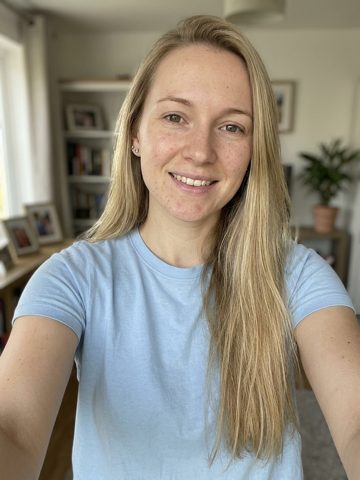
- 01Upload one photoYou, or a friend who agreed. One person, chest up, facing the camera.
- 02Save your spotGeneration opens in small batches. Leave your email and we send your video link as soon as your spot opens; your photos are saved with the request.
- 03Post it with the soundDownload your video. In TikTok or Reels tap "Add sound", search "Burning Bridges Drake" and pick the version most posts use.
- Length
- 0:20 · 20 seconds
- Photos
- 1 — the lead
- You get
- a vertical 9:16 MP4 for TikTok, Reels and Shorts, plus the full widescreen 16:9 version
- Ready
- Usually ready in about 12 minutes
Side A · pick a track
Same price, any trend
Burning Bridges
Party verse · 1 photo
You run the late-night party: cup up, wave, walk up to the lens.
Who's on the verse?
- ●Face fully visible, looking at the camera
- ●One person per photo
- ●Good light — no sunglasses or masks
From $9.99 · one-time · no subscription · no account
- ✓ One-time payment
- ✓ No account or subscription
- ✓ Failed videos refund the credit
- ✓ Photos deleted after 30 days
Updated October 24, 2026 · track 02
What is the Burning Bridges AI trend?
The trend comes from the party scene in Drake's "Burning Bridges" music video, released in May 2026: one handheld shot moving through a crowded late-night room that ends on a raised cup and a wave at the camera.
In late September 2026 people started posting AI versions with someone else in the lead, from cartoon characters to their own friends. The room, the crowd and the moves stay the same; the person running the party changes.
The wave at the end is the moment everyone recognizes, so the joke lands even for viewers who never watched the music video.
Photo tips for Burning Bridges
- ●One person, chest up, looking at the camera.
- ●Good light on the face. No sunglasses, masks or heavy filters.
- ●A relaxed or smiling photo suits the party mood.
- ●Your face, hair and glasses carry into the video, so pick a recent photo.
- ●Only photos of yourself or friends who said yes. No celebrities or public figures.
The sound to add
In TikTok or Reels tap "Add sound", search "Burning Bridges Drake" and pick the version most posts use.
| Track | Sound to add | Length |
|---|---|---|
| 02Burning Bridges AI | Burning Bridges — Drake | 0:20 |
Liner notes
Burning Bridges AI — FAQ
What is the Burning Bridges AI trend?
+
AI videos of the party scene from Drake's "Burning Bridges" music video (May 2026), with someone else as the lead: the raised cup, the laugh behind the hand and the wave at the camera. It took off in late September 2026.
What happens in my video?
+
Over 20 seconds you move through the party with your friends around you, lean into the lens, laugh behind your hand with the cup up, spread your arms, point and clink cups, reach toward the camera, then raise the cup and wave.
Which sound do I add?
+
"Burning Bridges" by Drake. In TikTok or Reels tap "Add sound", search "Burning Bridges Drake" and pick the version most posts use. Your video is silent, and we never include the recording.
Why do I get two versions?
+
The scene is wide, like the music video. You get a vertical 9:16 MP4 for TikTok, Reels and Shorts, plus the full widescreen 16:9 version, so you can post vertically or share the full frame.
Is this made by Drake or his label?
+
No. Rap Video AI is an unofficial fan-made tool. It isn't affiliated with or endorsed by Drake, OVO Sound or any label.
Is there a free Burning Bridges AI generator?
+
Not on this site. There is no free tier: each 20-second video is a one-time payment, from $9.99, with no subscription. You get no watermark, nothing to install, and if a generation fails the credit comes back automatically.
Can I put a celebrity in the lead?
+
No. Use your own photo, or a friend's who agreed to it. Photos of celebrities, public figures or anyone who hasn't said yes aren't allowed, and for anyone under 18 you need a parent or guardian's permission.
Same credits, any track
More AI rap trends
- 010:16
Rap duo · 2 photos
Two of you trade bars at one hanging mic in the orange booth.
- 030:09
Grime bars · 1 photo
You push up to the camera on a night street and spit the bars.
- 040:20
Walk-up verse · 1 photo
Out through the park gate, rapping straight down the path at the camera.
- 050:19
Freestyle · 1 photo
The street freestyle at the red door, with you on the verse.